
AI INTERACTIVE VIDEO CREATOR
AI Interactive Video Creator.
Bring a video. Make it playable.
Upload a video and let AI turn its strongest moments into an interactive video people can play.
Create from an idea BetaMP4 only · up to 30 seconds / 120 MB
Discover Playable Videos
All interactive videos
Loading interactive videos
No interactive videos yet
New interactive videos will appear here when they become available.
Couldn’t load interactive videos
Please try again in a moment.
 Ready to play
She Crawled Out of the Screen! Real Jump Scare in a Horror Cinema🌙
Experience a terrifying interactive horror scene set inside a movie theater. Watch as figures carry a coffin on the big screen, then tap and swipe up to trigger a realistic jump scare where a creature crawls out of the display.
TapSwipe up
Ready to play
She Crawled Out of the Screen! Real Jump Scare in a Horror Cinema🌙
Experience a terrifying interactive horror scene set inside a movie theater. Watch as figures carry a coffin on the big screen, then tap and swipe up to trigger a realistic jump scare where a creature crawls out of the display.
TapSwipe up
 Ready to play
Giant Hammer Sends Cars Flying Over Lava Pit — Satisfying Simulator 🔨
Control a massive hammer swinging over a lava-filled road in this satisfying physics simulator. Use continuous swiping gestures to drive the hammer into the molten pit, launching vehicles flying over the gap. Watch cars and motorcycles soar through the air in this interactive destruction experience.
Swipe back and forth to play
Ready to play
Giant Hammer Sends Cars Flying Over Lava Pit — Satisfying Simulator 🔨
Control a massive hammer swinging over a lava-filled road in this satisfying physics simulator. Use continuous swiping gestures to drive the hammer into the molten pit, launching vehicles flying over the gap. Watch cars and motorcycles soar through the air in this interactive destruction experience.
Swipe back and forth to play
 Ready to play
POV Outrun the Tsunami! Can You Escape the Flooded Village.
Experience a first-person perspective escape through a dark, flooded village. This interactive simulation places you on a wooden dock surrounded by rising waters and submerged structures. Navigate the crisis by using continuous tapping and swipe-up gestures to progress through the scene and attempt to outrun the incoming tide.
Keep tapping to playSwipe up
Ready to play
POV Outrun the Tsunami! Can You Escape the Flooded Village.
Experience a first-person perspective escape through a dark, flooded village. This interactive simulation places you on a wooden dock surrounded by rising waters and submerged structures. Navigate the crisis by using continuous tapping and swipe-up gestures to progress through the scene and attempt to outrun the incoming tide.
Keep tapping to playSwipe up
 Ready to play
The sky is falling.
An interactive animated experience featuring a cute blue character wearing a party hat behind a pink birthday cake. Hold and rotate the screen counterclockwise to play the video sequence.
Rotate your phone
Ready to play
The sky is falling.
An interactive animated experience featuring a cute blue character wearing a party hat behind a pink birthday cake. Hold and rotate the screen counterclockwise to play the video sequence.
Rotate your phone
 Ready to play
Only a troublemaker would do this.
An interactive animated experience featuring a blue cartoon character wrapped in a towel on a checkered floor. Control the playback by performing continuous swipes and tapping the screen at specific moments to reveal the scene.
Swipe back and forth to playTap
Ready to play
Only a troublemaker would do this.
An interactive animated experience featuring a blue cartoon character wrapped in a towel on a checkered floor. Control the playback by performing continuous swipes and tapping the screen at specific moments to reveal the scene.
Swipe back and forth to playTap
 Ready to play
The puppy is home.
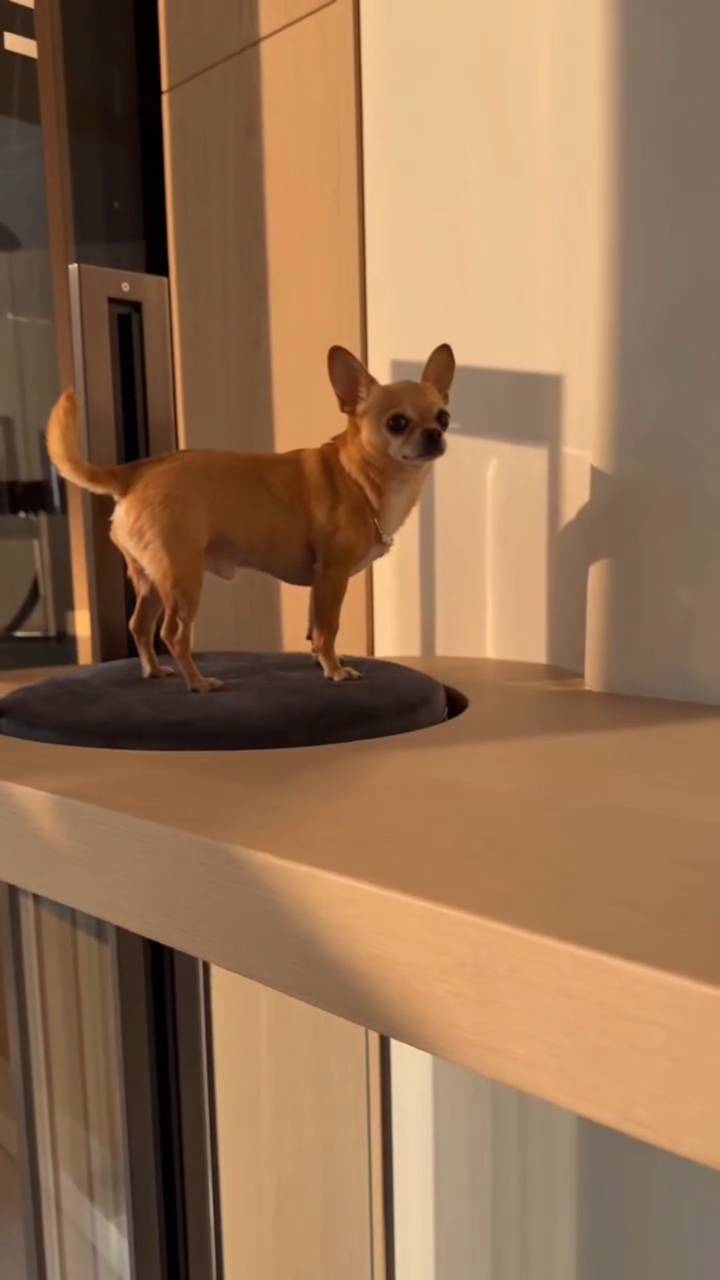
An interactive video experience featuring a small tan chihuahua standing on a dark cushion atop a light wooden counter. The 25-second clip includes two tap interactions that pause the video to highlight specific moments of the dog's arrival.
Tap
Ready to play
The puppy is home.
An interactive video experience featuring a small tan chihuahua standing on a dark cushion atop a light wooden counter. The 25-second clip includes two tap interactions that pause the video to highlight specific moments of the dog's arrival.
Tap
 Ready to play
This is the magic broom's first-person view.
Experience a magical flight over a rural village from a first-person perspective. Hold the magic broom as you soar above thatched cottages and rolling hills, following other witches through the sky. Tilt your device left to interact with the scene at key moments during this 15-second journey.
Tilt left
Ready to play
This is the magic broom's first-person view.
Experience a magical flight over a rural village from a first-person perspective. Hold the magic broom as you soar above thatched cottages and rolling hills, following other witches through the sky. Tilt your device left to interact with the scene at key moments during this 15-second journey.
Tilt left
 Ready to play
Flying on a dragon.
Experience a first-person perspective of riding a black dragon over a tropical coastline. This interactive video places you in the saddle, looking out over turquoise waters and white sand beaches. Control the flight path using device tilt: tilt backward to swipe down and tilt forward to swipe up, guiding the dragon through the cloudy sky.
Tilt backward — move the top edge toward youTilt forward — move the top edge away from you
Ready to play
Flying on a dragon.
Experience a first-person perspective of riding a black dragon over a tropical coastline. This interactive video places you in the saddle, looking out over turquoise waters and white sand beaches. Control the flight path using device tilt: tilt backward to swipe down and tilt forward to swipe up, guiding the dragon through the cloudy sky.
Tilt backward — move the top edge toward youTilt forward — move the top edge away from you
 Ready to play
A kitten's smart life.
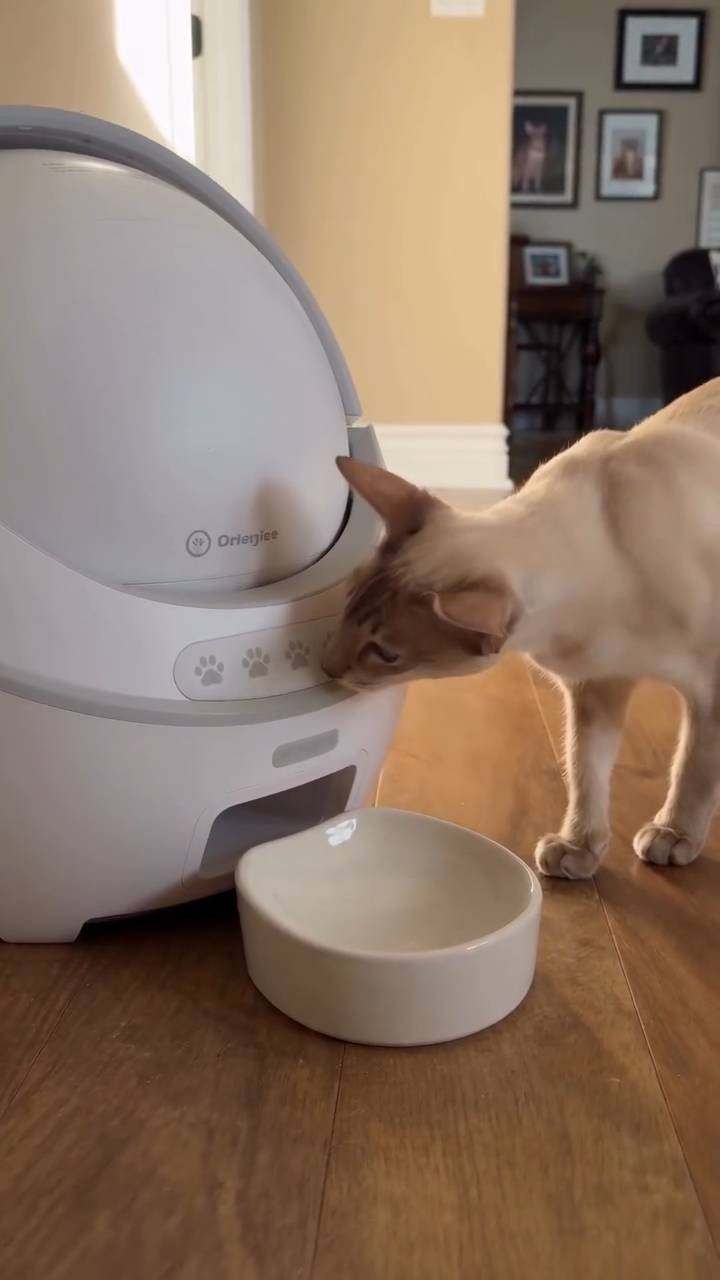
Watch a curious cat investigate an automatic litter box in this interactive video. Tap the screen at four specific moments to pause the footage and observe the kitten sniffing the device and exploring its surroundings on a wooden floor.
Tap
Ready to play
A kitten's smart life.
Watch a curious cat investigate an automatic litter box in this interactive video. Tap the screen at four specific moments to pause the footage and observe the kitten sniffing the device and exploring its surroundings on a wooden floor.
Tap
 Ready to play
Bro thought clouds were free cotton candy ☁️😭
A gray cat wearing a tiny straw hat rides in a hot air balloon basket, reaching out toward a large cloud that looks like cotton candy. Swipe right to see the moment the cat tries to grab the fluffy formation high above the ground.
Swipe right
Ready to play
Bro thought clouds were free cotton candy ☁️😭
A gray cat wearing a tiny straw hat rides in a hot air balloon basket, reaching out toward a large cloud that looks like cotton candy. Swipe right to see the moment the cat tries to grab the fluffy formation high above the ground.
Swipe right
 Ready to play
Animal Olympics: White Cat Nails the Pole Vault! 🐱🏅
This white cat just made pole vault history at the Animal Olympics! Full speed, perfect jump, bar cleared — and a panda bestie is there to celebrate. Gold medal moment! 🏆
HoldFollow the prompt using the front camera
Ready to play
Animal Olympics: White Cat Nails the Pole Vault! 🐱🏅
This white cat just made pole vault history at the Animal Olympics! Full speed, perfect jump, bar cleared — and a panda bestie is there to celebrate. Gold medal moment! 🏆
HoldFollow the prompt using the front camera
 Ready to play
The cake got blown away!
An interactive animated experience featuring two red pandas at a table. Shake your phone to trigger a reaction where a pink-frosted cake flies into the air, leaving one panda looking surprised and the other distressed.
Shake your phone
Ready to play
The cake got blown away!
An interactive animated experience featuring two red pandas at a table. Shake your phone to trigger a reaction where a pink-frosted cake flies into the air, leaving one panda looking surprised and the other distressed.
Shake your phone
 Ready to play
Rabbit gazing at the stars
An interactive experience featuring a white plush rabbit against a deep blue background. Rotate your phone to trigger a reaction in this short vertical video.
Rotate your phone
Ready to play
Rabbit gazing at the stars
An interactive experience featuring a white plush rabbit against a deep blue background. Rotate your phone to trigger a reaction in this short vertical video.
Rotate your phone
 Ready to play
Dandelions are so pretty!
Experience a gentle interactive moment with dandelions. Drag up on the screen and blow into your microphone to interact with the scene in this short, vertical video experience.
Hold & drag upBlow at the mic
Ready to play
Dandelions are so pretty!
Experience a gentle interactive moment with dandelions. Drag up on the screen and blow into your microphone to interact with the scene in this short, vertical video experience.
Hold & drag upBlow at the mic
 Ready to play
Come interact with the Seal!
Meet a friendly animated seal balancing on a yellow beach ball in the open ocean. Rotate your phone to interact with the scene and watch the seal wave back at you.
Rotate your phone
Ready to play
Come interact with the Seal!
Meet a friendly animated seal balancing on a yellow beach ball in the open ocean. Rotate your phone to interact with the scene and watch the seal wave back at you.
Rotate your phone
 Ready to play
Jaguar transforms into a robot
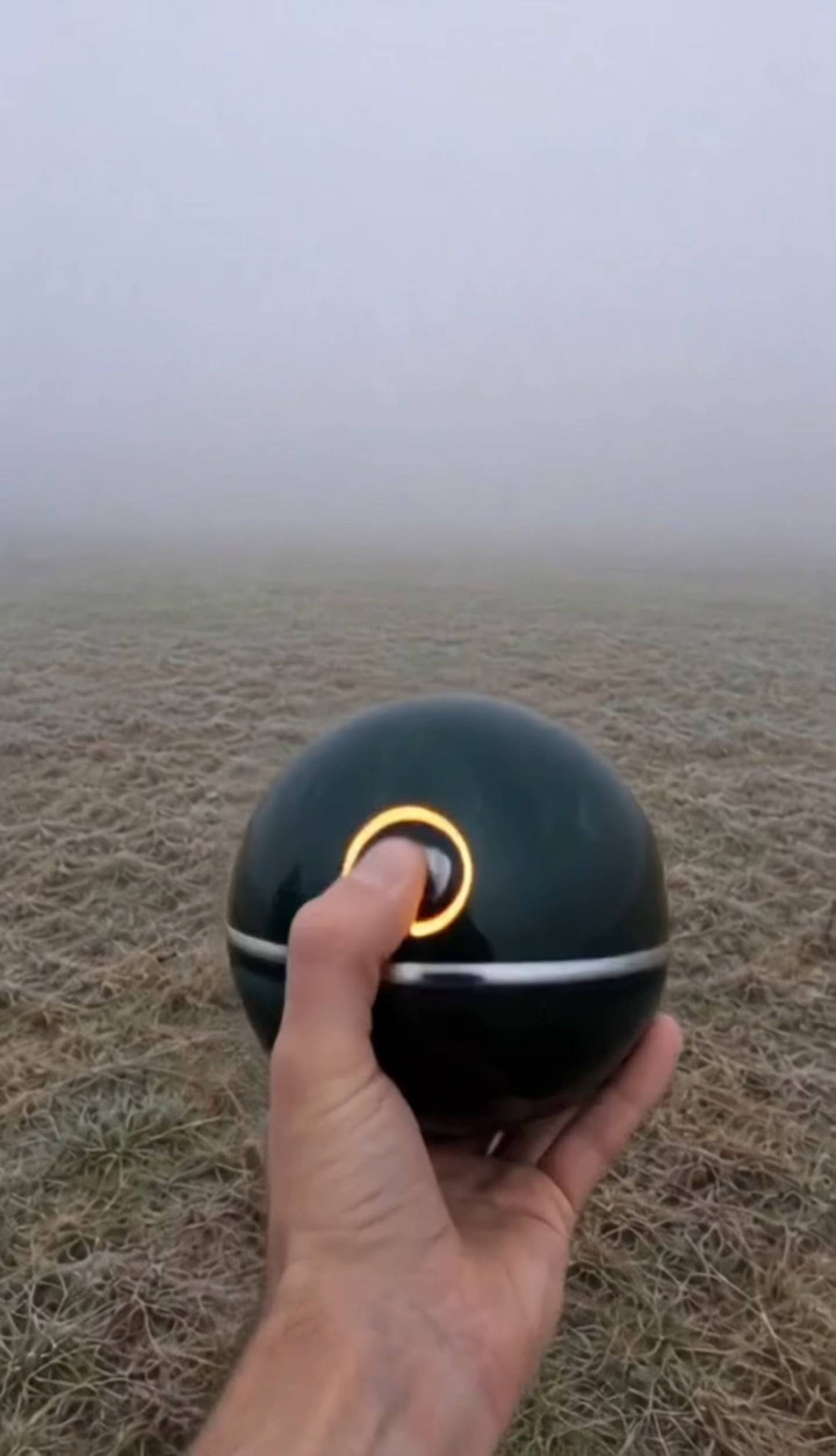
An interactive video experience featuring a transformation sequence. Tap the screen to trigger the effect where a jaguar changes into a robot.
Tap
Ready to play
Jaguar transforms into a robot
An interactive video experience featuring a transformation sequence. Tap the screen to trigger the effect where a jaguar changes into a robot.
Tap
More interactive videos load as you scroll
What is Pixopixo?
AI turns ordinary video into something people can play.
Pixopixo adds timed interactions to your original footage. A viewer can tap, swipe, hold, shake, tilt, make a camera gesture, or use a sound cue to continue a moment or shape what happens next.
Keep your video
The interaction layer works with the footage and pacing you already created.
Find playable moments
AI samples the video and proposes interaction points grounded in visible moments.
Publish a real interactive video
Preview the compiled runtime, publish it, and share a stable descriptive page.
Real interaction capabilities
Touch the screen—or move beyond it.
Frequently asked questions
Before you make your first playable video
Does Pixopixo replace my original video?
No. Pixopixo compiles a separate interaction and playback specification around the footage you publish. Your original video stays the visual foundation.
How is Pixopixo different from a fixed interactive video template?
Pixopixo is not a fixed template. Each interactive video defines its own interactions and only uses the capabilities that are meaningful to it.
How do I create an interactive video with Pixopixo?
Upload a short MP4 from the web creator or the Android app, then optionally describe the response you want. Pixopixo finds responsive moments, compiles and validates the runtime, and lets you preview, publish, and share the result.
How does Pixopixo turn a regular video into something playable?
Pixopixo samples the video, identifies moments that can pause or branch, and chooses interactions supported by the player. That can include touch, motion, camera gestures, or microphone-level cues.
What kind of video should I start with?
Short videos with a clear action, reveal, challenge, or decision are easiest to turn into a focused interactive video.
Can one interactive video use more than one clip?
Yes. Story-based interactive videos can connect clips with validated success, miss, retry, end, and go-to actions.
Can people play every interactive video in a browser?
Browser-compatible interactive videos can play on the web. Videos with interactions that require native device capabilities clearly direct viewers to the Android app.
When will Pixopixo be available on iOS?
The iOS app is in active development. The official App Store link will appear on this site as soon as it is ready.
How do I delete my Pixopixo account and data?
Open the Pixopixo app, go to Settings, then choose Delete account, or request deletion by email. See https://pixopixo.com/account-deletion for the exact steps and what data is deleted or retained.
How do I contact Pixopixo?
For support, email pixoai@pixopixo.com. For privacy requests, email pixoai@pixopixo.com.
- 1Source
- 2Create
- 3Interact
- 4Publish
Your space.
Make something playable. Keep everything here.
0 Following
0 Followers
0 Likes received
Loading your profile…
Sign in to see your work
Your drafts and published interactive videos live here.
Edit channel
My videos
Manage your published videos and check their status.
Your creations live here.
Create a video
Sign in to see your creations
Submitted, reviewing, and published interactive videos stay connected to your account.
Loading your creations
No creations here yet
Publish your first interactive video and it will appear here.
Couldn’t load your creations
Please try again in a moment.
More creations load as you scroll
Welcome to Pixopixo
Sign in. Keep creating.
Use Google or a one-time email code. No password required.